TABLE OF CONTENTS
ADT Transfer – to move a resident to an empty bed.

Bed Swap – to directly swap two resident beds.
There are two ways to change a resident’s room, using ADT Transfer or using the Bed Swap feature.
Do not discharge a resident to move them to a different bed, this will change the next assessment due date.
Bed Transfer
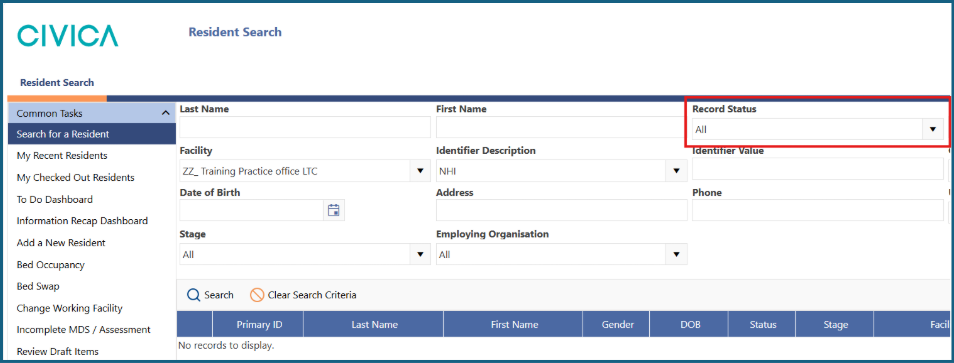
1: Search for your resident, making sure the 'Record Status' is set to 'All'.
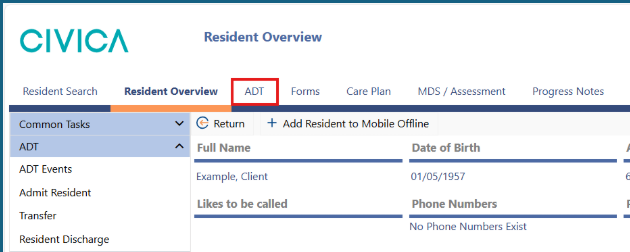
2: Open the ADT Events screen by either clicking on 'ADT' in the ribbon menu along the top.
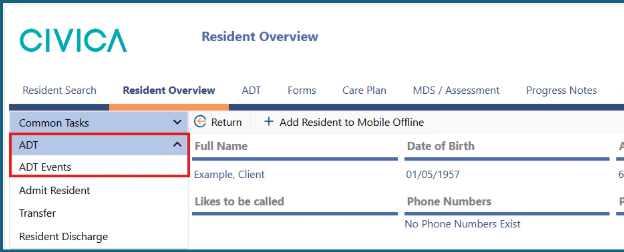
Or clicking on 'ADT' from the left side menu.
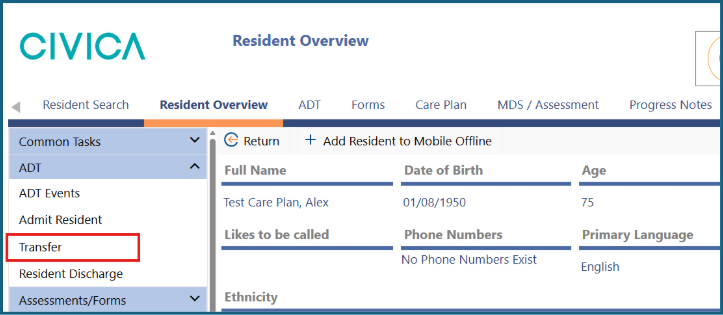
3: Select 'Transfer' in the left side menu.
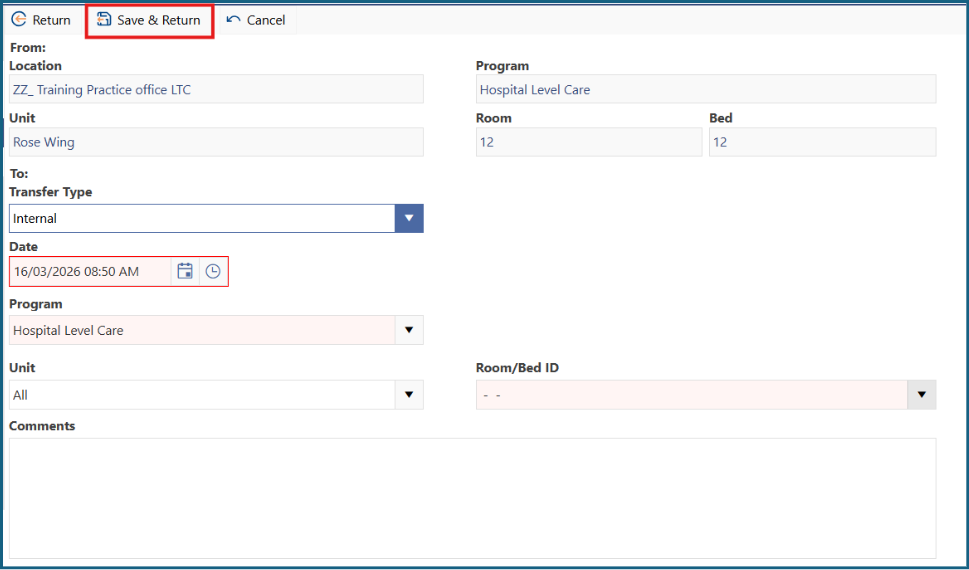
4: Use the date and time pickers to choose the date the person moved to the new room.
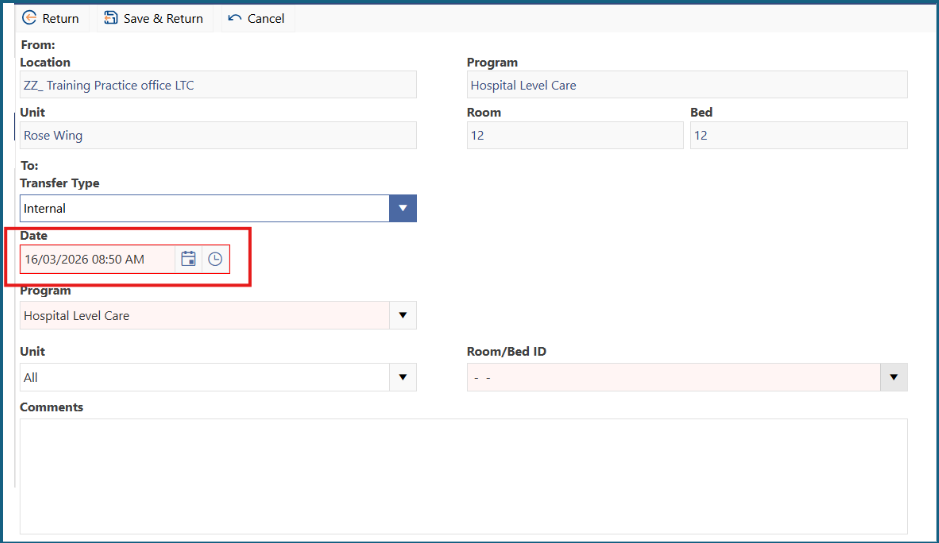
5: Select the resident’s level of care from the 'Program' dropdown list.
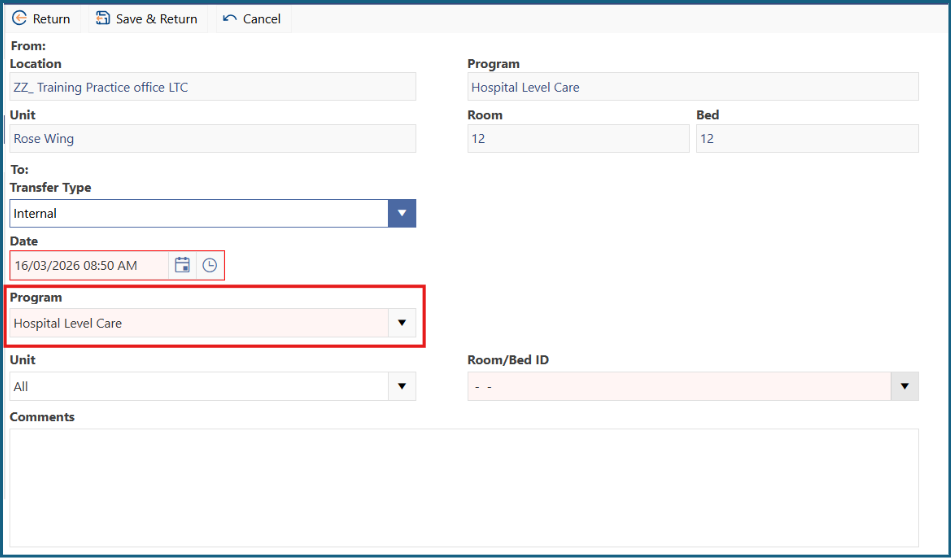
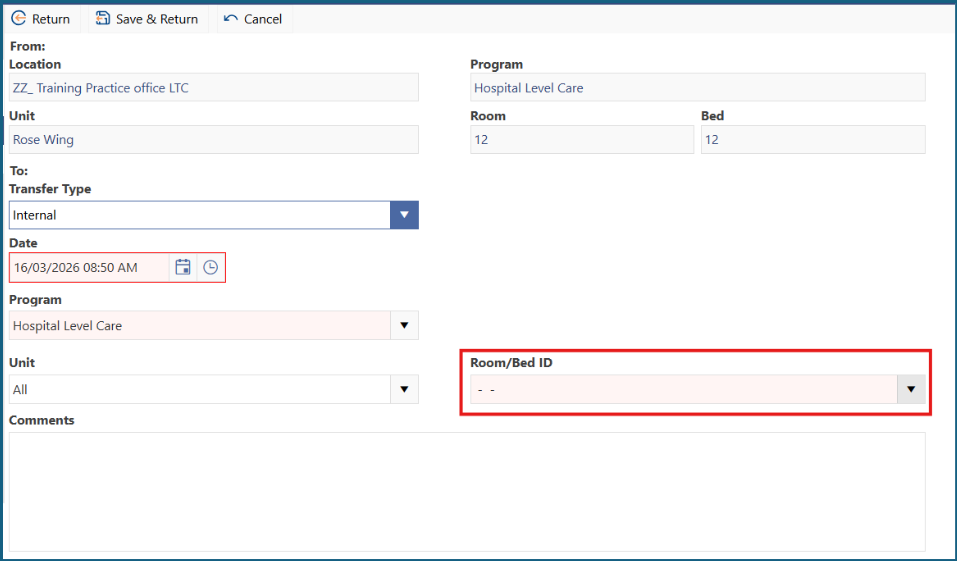
6: Choose an available bed from the dropdown list. You can filter the list of beds by also using the 'Unit' drop down
7: Add any relevant comments.
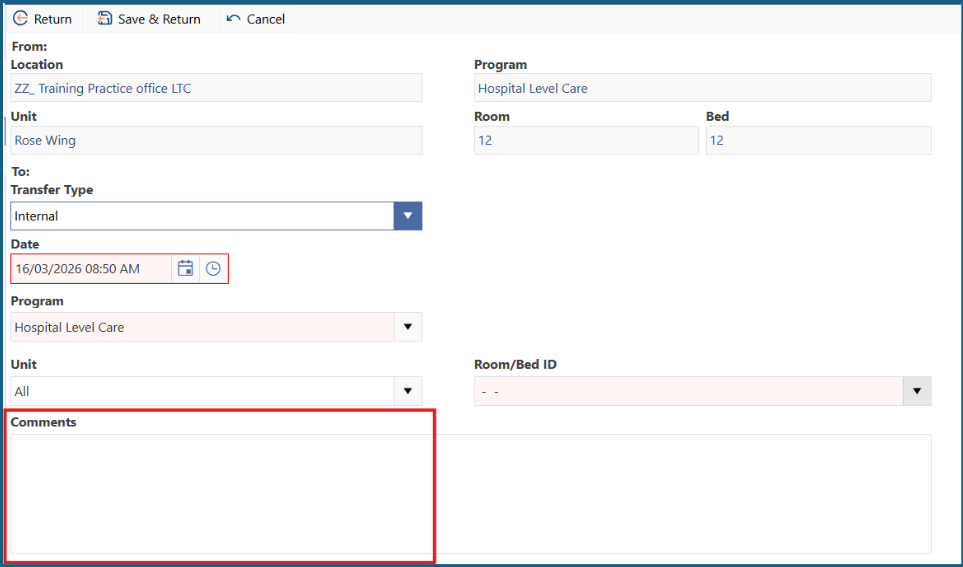
8: Click 'Save and Return'.
Bed Swap
1: Open the 'Bed Swap' screen under 'Common Tasks' in the left side menu.
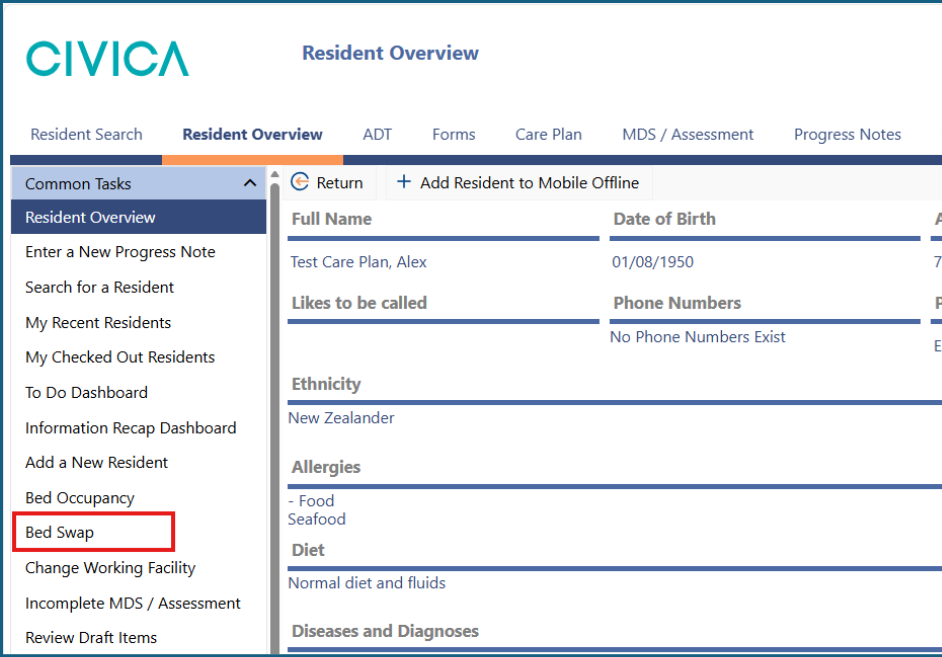
2: Use the date and time pickers to choose the date the residents swapped beds.
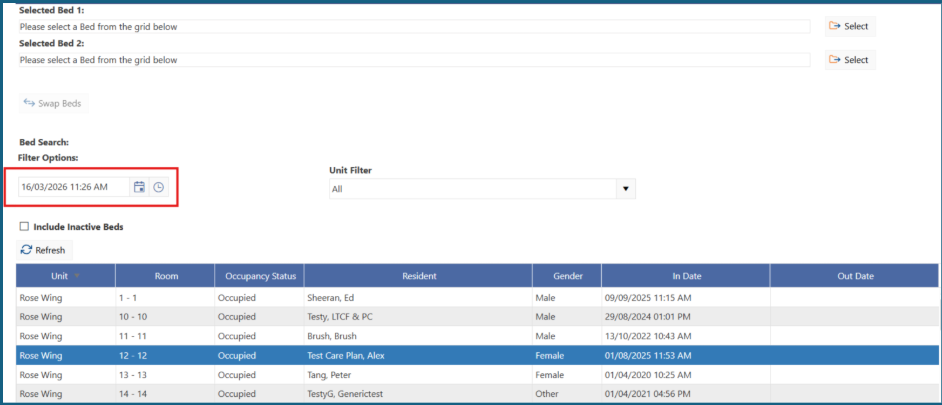
3: You can use the 'Unit Filter' to shorten the list of residents.
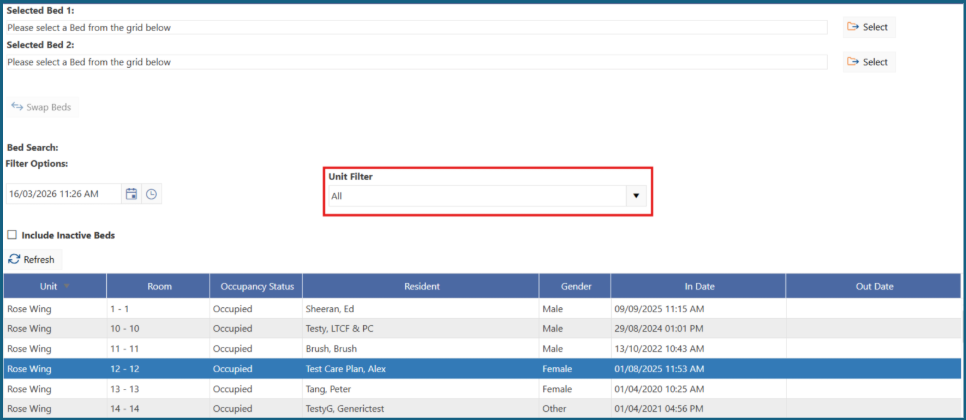
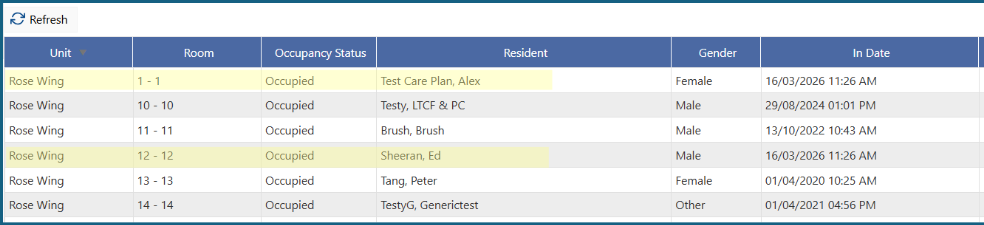
4: Click once on the first resident to be swapped so their row is highlighted blue, then click on the top 'Select' button.
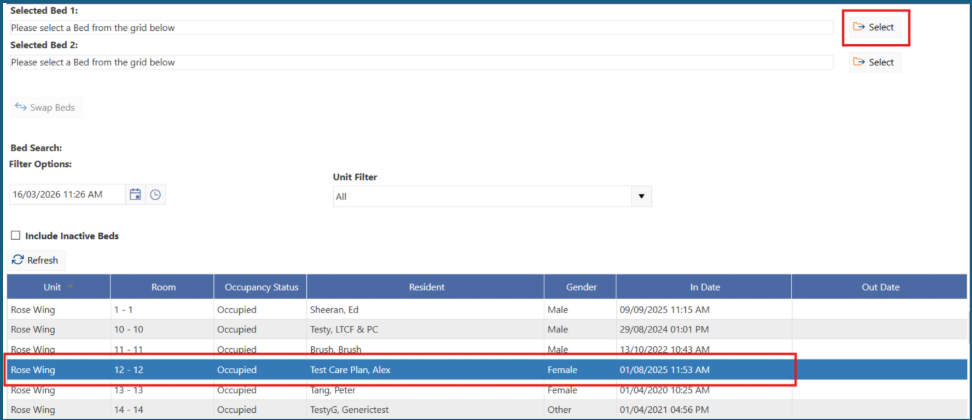
5: The first resident’s details will be entered under Selected Bed 1.
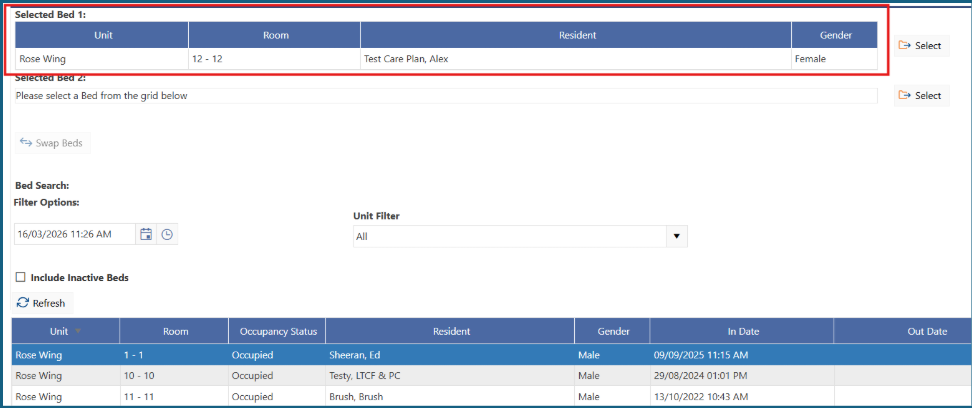
6: Click once on the second resident to be swapped so their row is highlighted blue, then click on the bottom 'Select' button.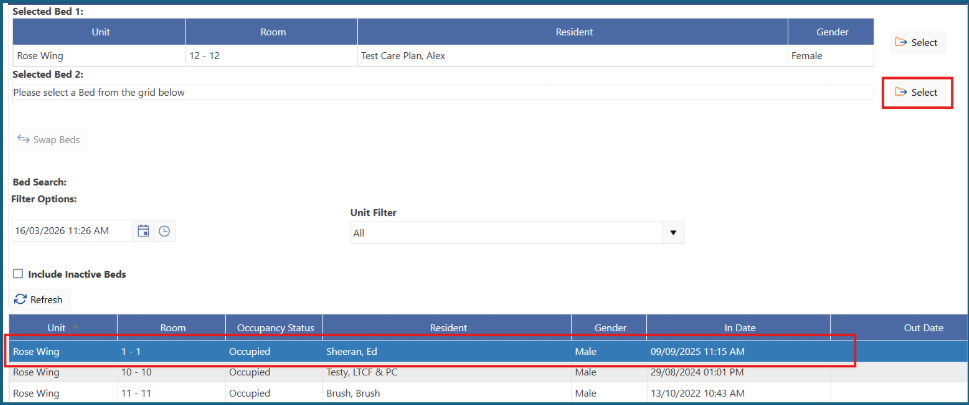
7: The second resident’s details will be entered under Selected Bed 2.

8: Click on 'Swap Beds'.
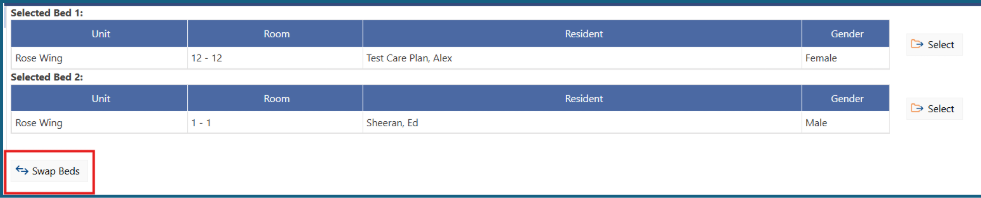
9: The resident’s beds will now be swapped in the software.
Was this article helpful?
That’s Great!
Thank you for your feedback
Sorry! We couldn't be helpful
Thank you for your feedback
Feedback sent
We appreciate your effort and will try to fix the article