Do not discharge a resident to change their level of care, this will change the next assessment due date. You will use the ADT Events - Transfer process to update their level of care.
How to change an ARC facility resident’s level of care in the interRAI Assessment Software (iAS)
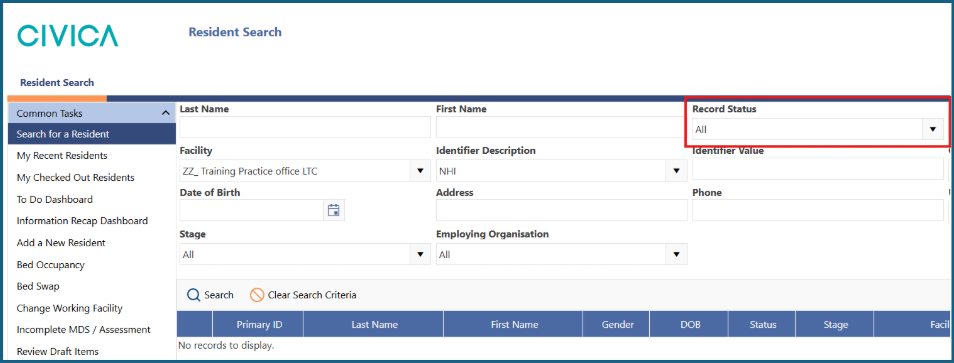
1: Search for your resident, making sure the 'Record Status' is set to 'All'.
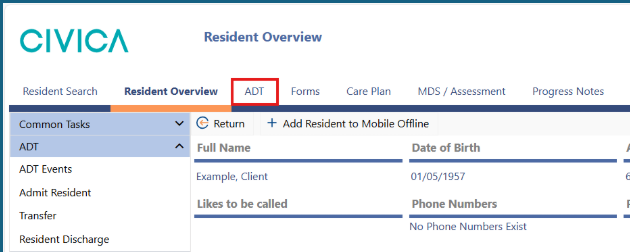
2: Open the 'ADT' screen by either clicking on the 'ADT' tab from the ribbon menu along the top.
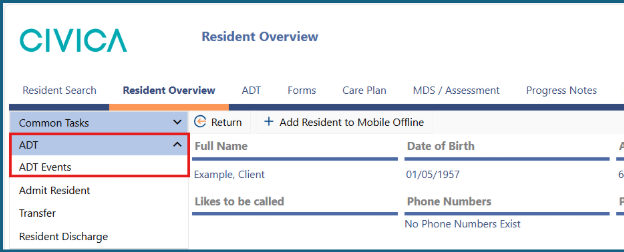
Or by clicking on 'ADT' using the left side menu.
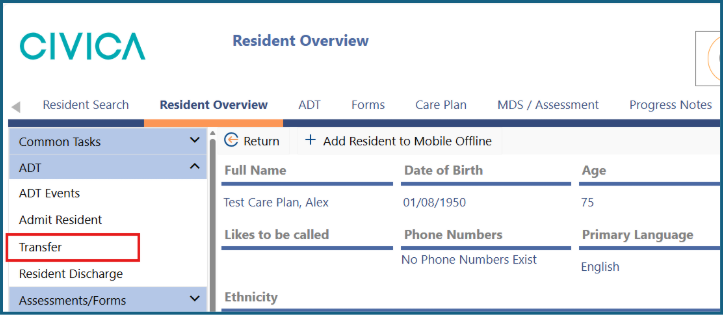
3: Select 'Transfer' in the left side menu.
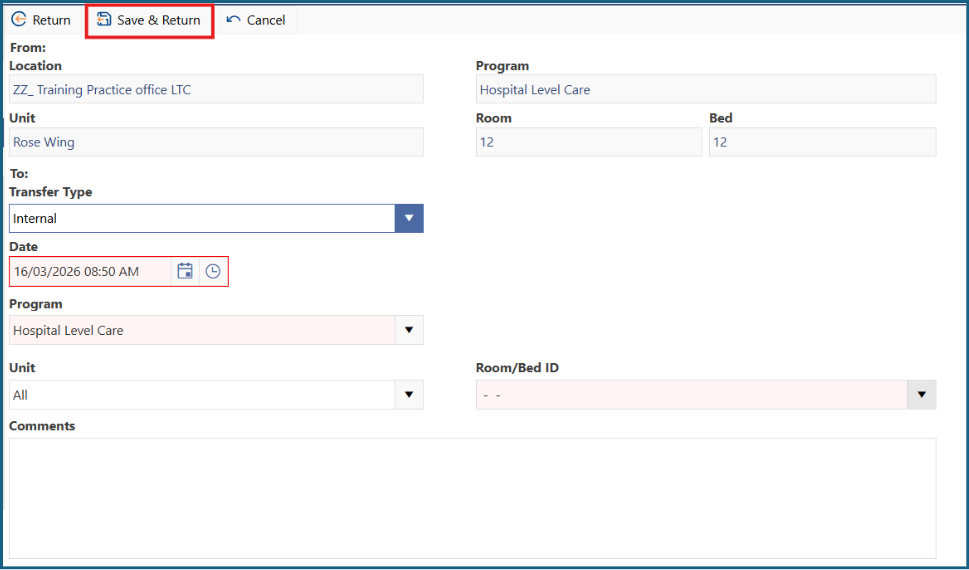
4: Use the date and time pickers to choose the date the person was signed off for their changed level of care.
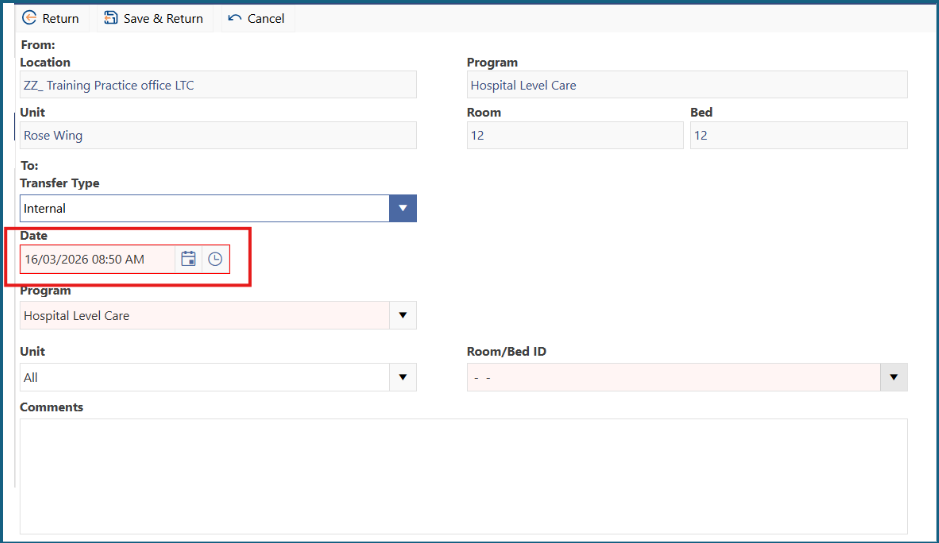
5: Select the resident’s level of care from the 'Program' dropdown list.
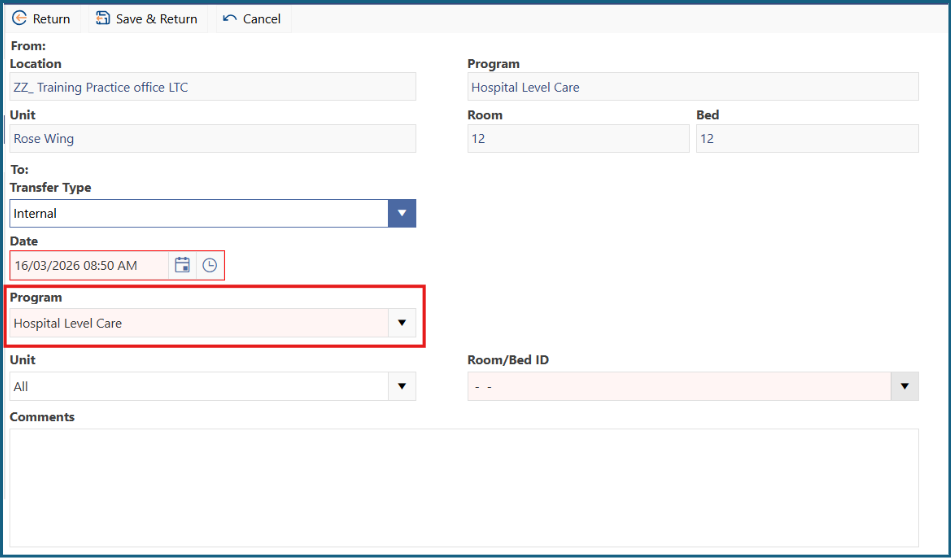
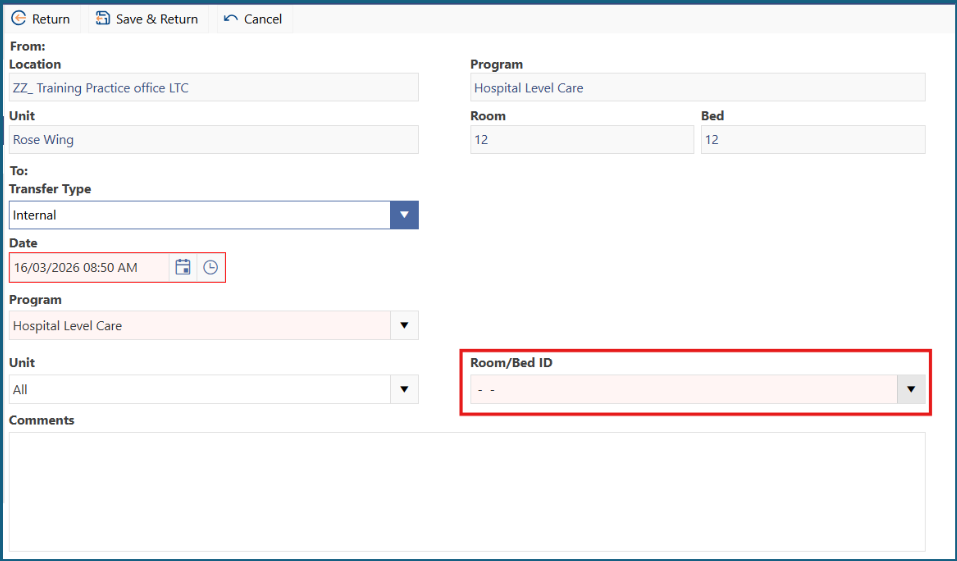
6: Choose an available bed from the dropdown list. You can filter the list of beds by also using the Unit drop down.
- Choose the same room if they haven’t changed beds
- Choose the new room if the person has moved to a different bed
7: Add any relevant comments.
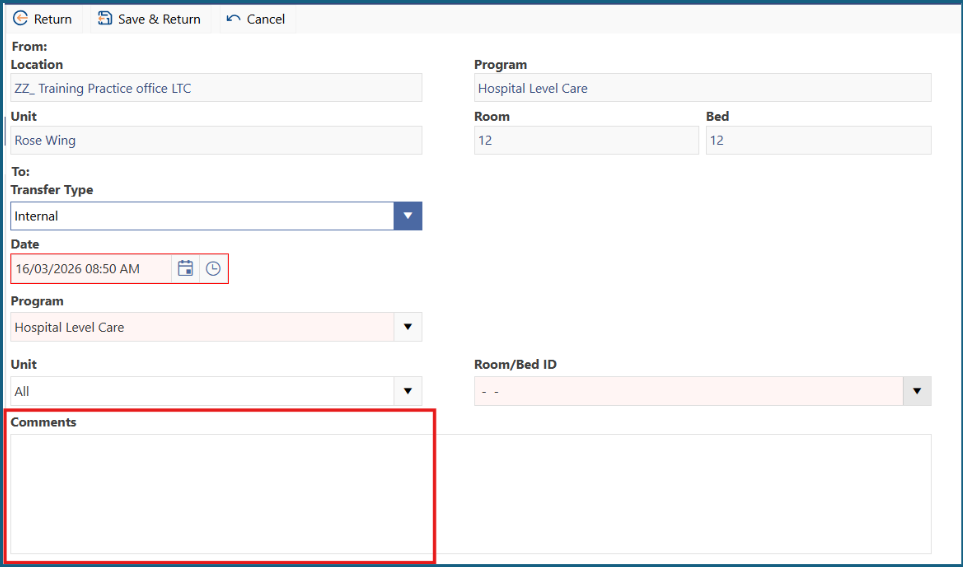
8: Click 'Save and Return'.
Was this article helpful?
That’s Great!
Thank you for your feedback
Sorry! We couldn't be helpful
Thank you for your feedback
Feedback sent
We appreciate your effort and will try to fix the article