TABLE OF CONTENTS
- Adding an email address for a community client
- Adding an email address for a resident in a residential care facility
If a person living in the community or in a residential care facility uses email as a form of communication, you may wish to record their email address in their interRAI record for current or future reference.
The steps are different for:
- Community clients
- Residents in residential care facilities
Adding an email address for a community client
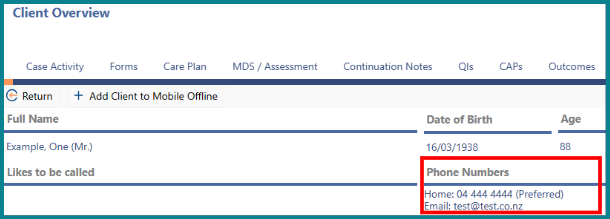
1: On the 'Client Overview' page, click on 'Phone Numbers'. 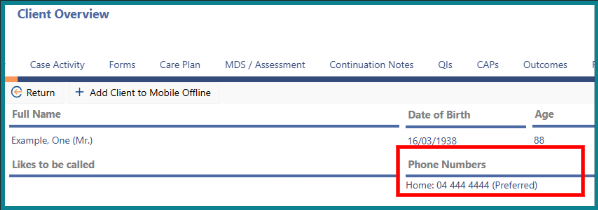
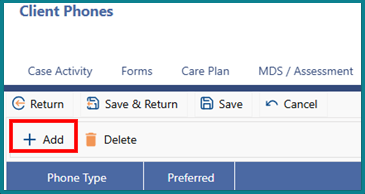
2: Click on '+ Add'.
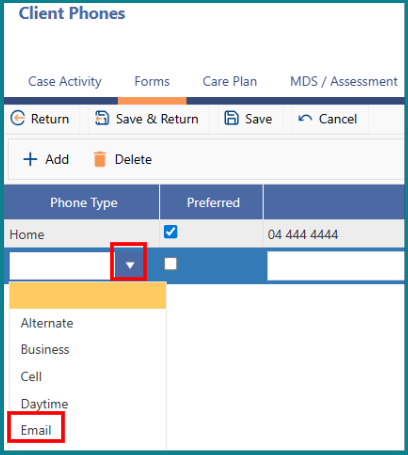
3: In the drop-down list, select 'Email'.
4: Enter the client’s email address in the field provided.
5: Click 'Save & Return'. 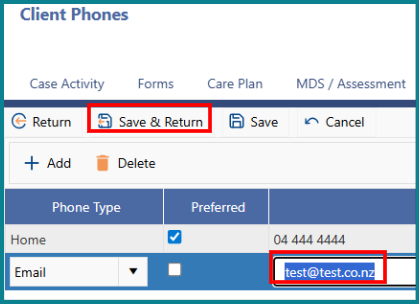
6: The client’s email address will then display on the Client Overview page.
Adding an email address for a resident in a residential care facility
Once you have located the resident, follow these steps from the Resident Overview page:
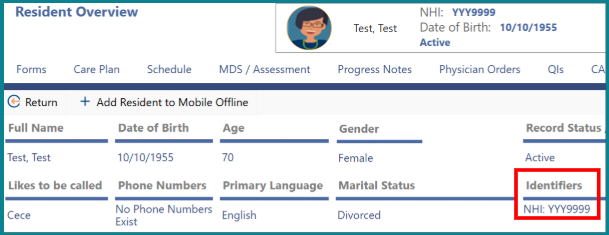
1: Click 'Identifiers'.
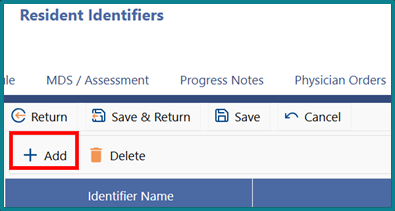
2: On the 'Resident Identifiers' screen, click '+ Add'.
3: In the first column, enter 'Email Address'. This is the label.
4: In the second column, enter the resident’s actual email address.
5: Click 'Save & Return'. 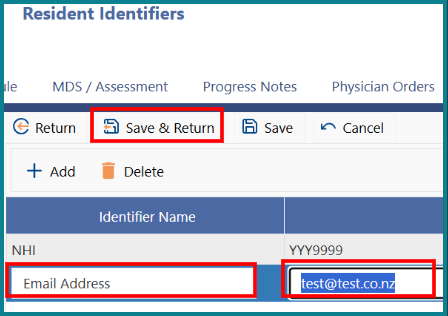
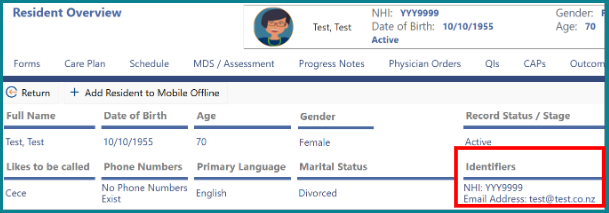
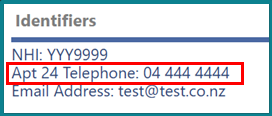
6: The resident’s email address will then display on the 'Resident Overview' page.

Was this article helpful?
That’s Great!
Thank you for your feedback
Sorry! We couldn't be helpful
Thank you for your feedback
Feedback sent
We appreciate your effort and will try to fix the article