TABLE OF CONTENTS
A provider is the person who has the primary responsibility for completing a client or resident assessment. Their name is linked to any assessment reports.
If a different assessor subsequently assesses a client or resident, they must:
- identify themselves as the provider in the Providers section of the Overview page
- remove the previous provider (see Removing a provider).
Adding yourself as provider
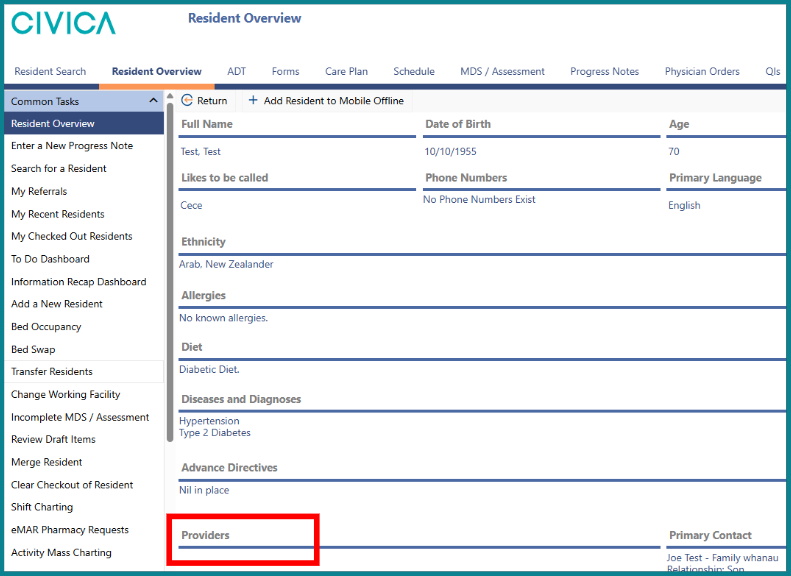
1: On the 'Client Overview' or 'Resident Overview' page, click on 'Providers'.
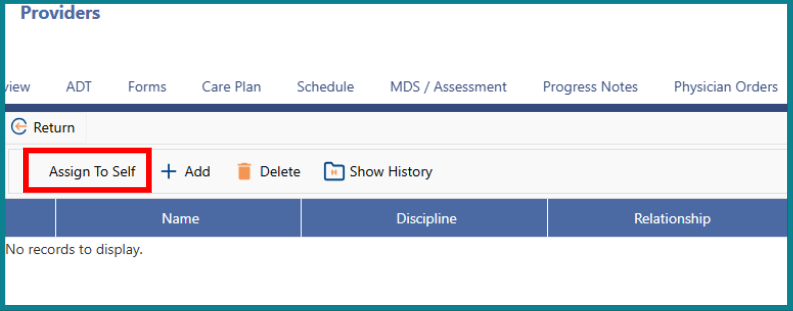
2: If you are the assessor completing the assessment, click on 'Assign to Self'.
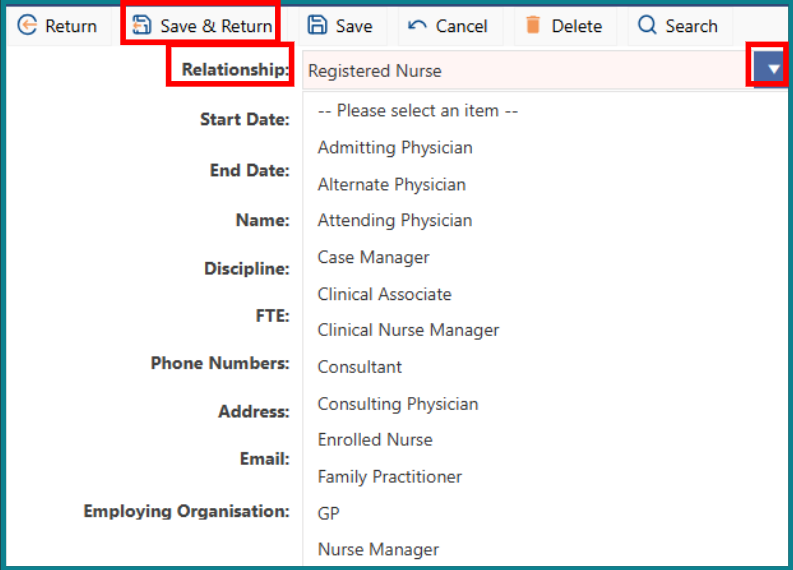
3: Choose your 'Provider Relationship' with the client or resident from the drop-down menu and then click 'Save & Return'.
Adding a different Provider
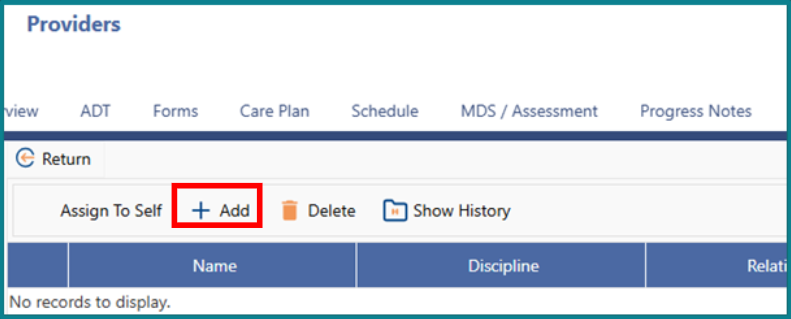
1: On the 'Client' or 'Resident Overview' page, click on 'Provider', then click '+ Add'.
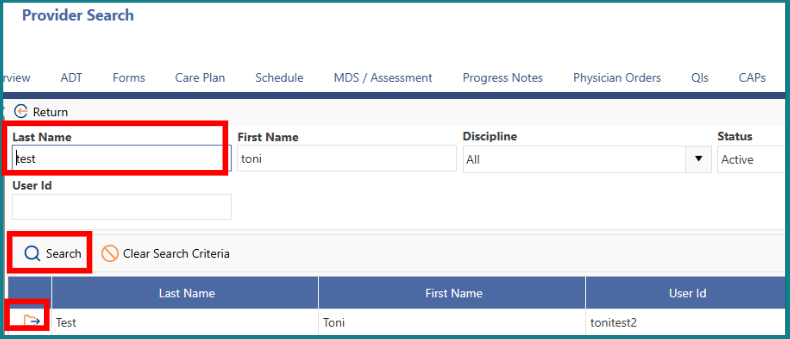
2: Enter the 'Last Name' of the 'Provider' and then click 'Search'.
3: Click on the folder next to the 'Provider’s' last name to confirm your selection.

Removing a provider
Usually there is only one provider.
However, in the community setting, clients may sometimes need more than one provider (for example, if the NASC agency and home-care service are both involved in assessing a client and coordinating their care).
To remove a provider, follow these steps.
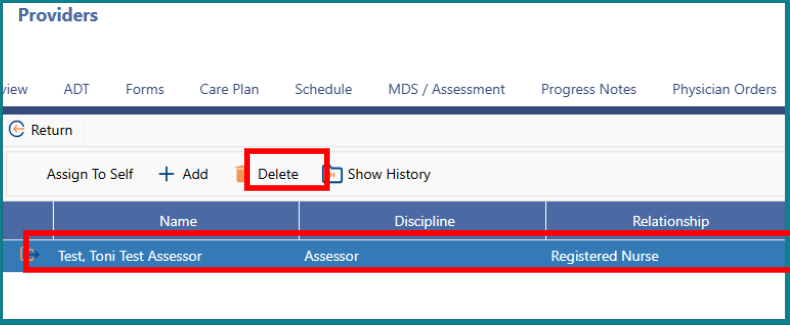
1: Click on the line of the name of the provider you want to remove to highlight it blue.
2: Click on 'Delete'.

When you resign, remove your name from the Providers section of the Overview page before your notice period ends.
Was this article helpful?
That’s Great!
Thank you for your feedback
Sorry! We couldn't be helpful
Thank you for your feedback
Feedback sent
We appreciate your effort and will try to fix the article