The interRAI Assessment Software (iAS) can generate reports about a client or resident. These reports can be used to support care, communication, transfer planning, and audit requirements.
What client reports are used for
Client or resident reports may be useful when:
- your NASC agency needs to see how a person has changed since their last assessment
- a resident of a long-term care facility (LTCF) is going to hospital and a transfer report is needed
- your LTCF is being audited and information needs to be provided to the auditor
A list of available reports for a person can be found on the left-hand side of their Overview page.
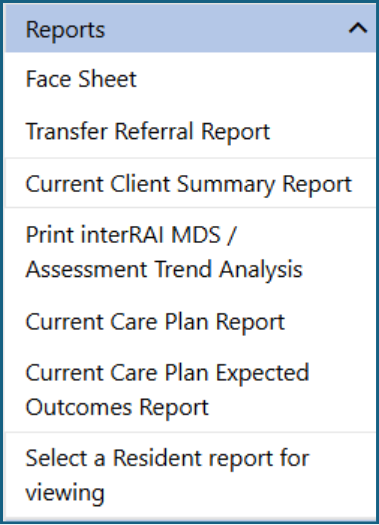
Types of client reports
Face Sheet
The Face Sheet contains the same information shown on the person’s Overview page.
Use this report when you need a simple summary of the person’s current overview information.
Follow these steps to print a person’s Face Sheet:
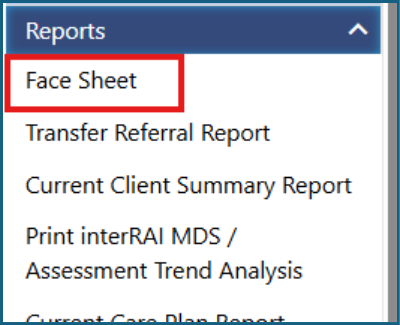
1: Click Face Sheet under the Reports tab.
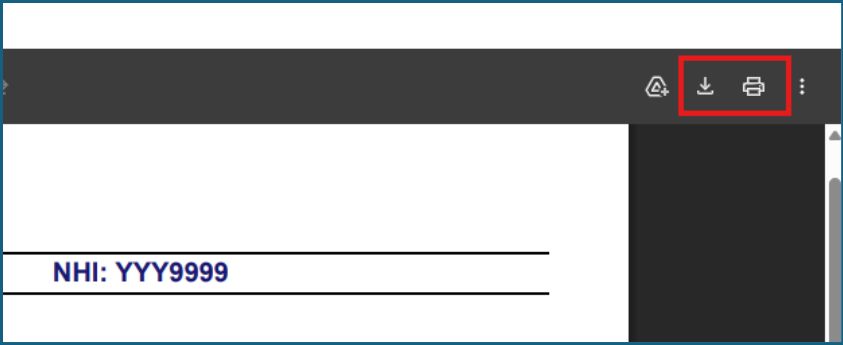
2: Click Print or Download.
Current Client or Resident Summary Report
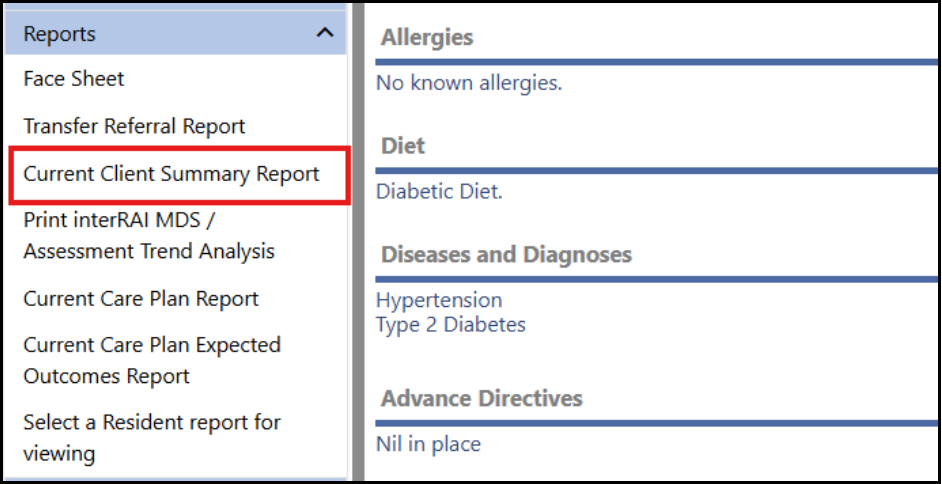
The Current Client or Resident Summary Report provides a summary of information from the person’s assessment, including:
- health
- diagnoses
- conditions and changes in the last 90 days
- formal care received
- Collaborative Action Plans (CAPs)
- outcome scores
Use this report when you need a broader clinical summary of the person’s current assessment information.
Follow these steps to print a Current or Resident Client Summary Report:
1: Click Current Client Summary Report under the Reports tab.
2: Click the printer icon or download as a PDF file.
Assessment Summary
If a person’s assessment has been marked complete, you can print a copy of their Assessment Summary.
Use this when you need a printed version of the completed assessment summary.
Follow these steps to print an Assessment Summary:
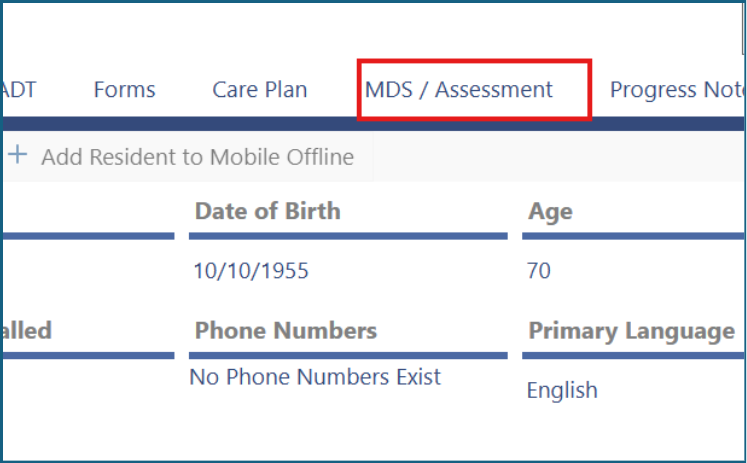
1: Click MDS/Assessment.
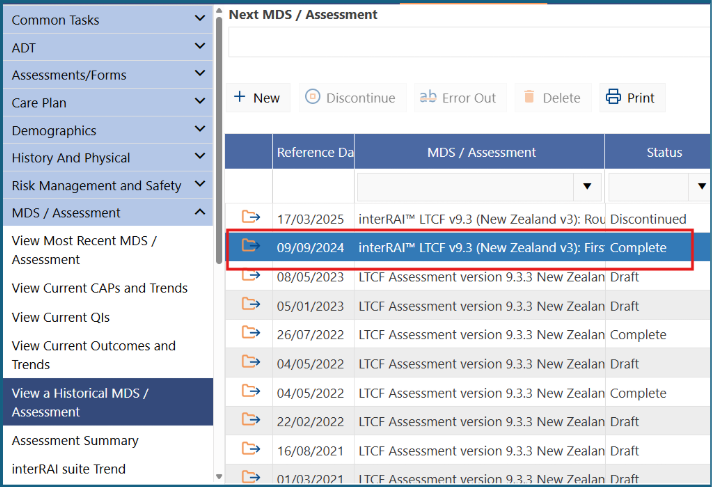
2: Click the assessment you want to view so it is highlighted in blue.
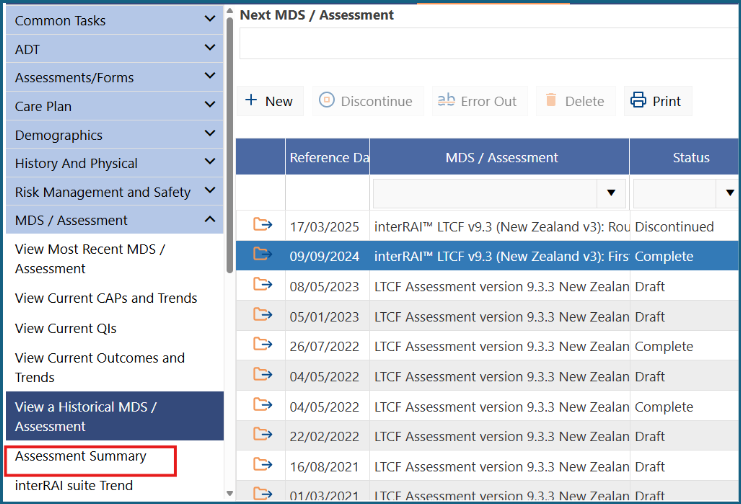
3: Click Assessment Summary under the MDS/Assessment tab.
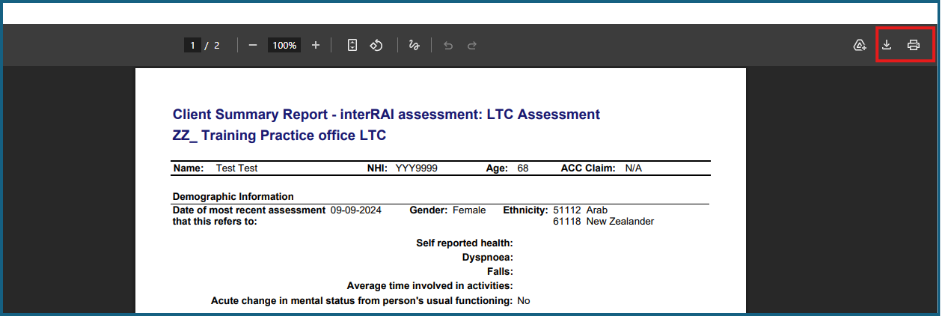
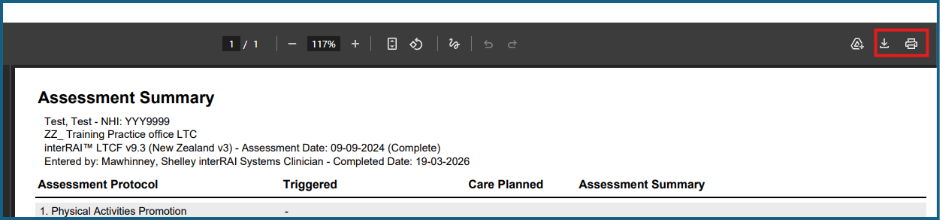
4: The Assessment Summary will be displayed on the screen as shown. It can be printed or saved as a PDF file for downloading.
Care Plan Report
The Care Plan Report is available if your organisation or facility uses the optional care-plan template in iAS. It can be used for:
- community clients
- residents of LTCFs
If your organisation uses the care-plan template, you can print a Care Plan Report.
Follow these steps to print a Care Plan Report.
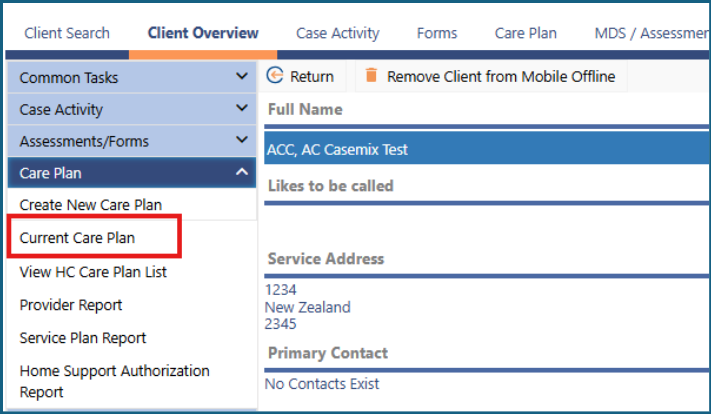
1: Click Current Care Plan under Care Plan on the side navigation bar.
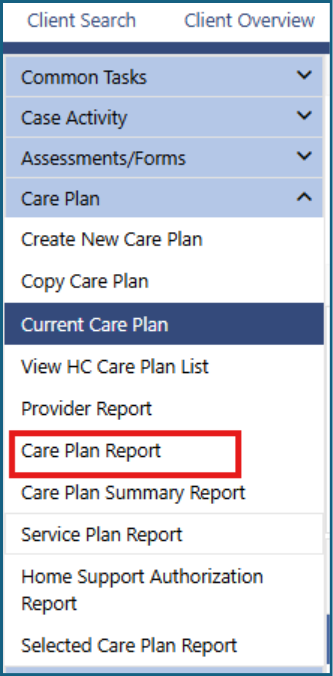
2: Click Care Plan Report.
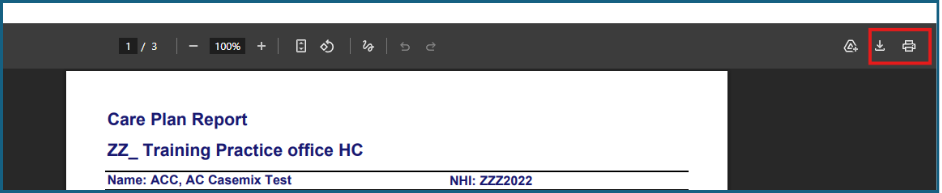
3: The Care Plan Report will be displayed on the screen. It can be printed or saved as a PDF file for downloading.
Organisation or facility reports
The interRAI Assessment Software can also provide reports at organisation or facility level.
For example, in a facility, the Resident Listing Assessments Due report can help with workflow planning. You can view this report for:
- the whole facility
- a specific provider or assessor
- a specific unit
Follow these steps to view the Resident Listing Assessments Due report.
1: On the Home screen, click Reports.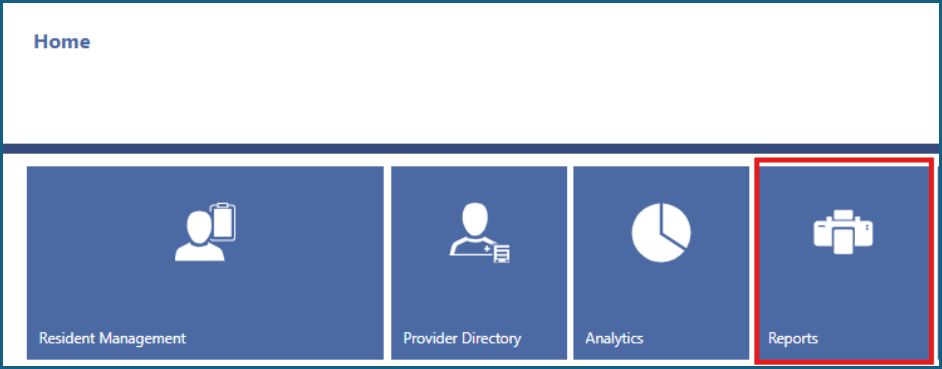
2: Click the folder icon next to Resident Listing Assessments Due.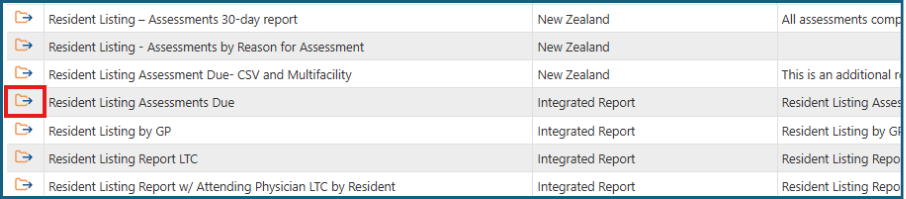
3: Ensure Record Status is set to Active.
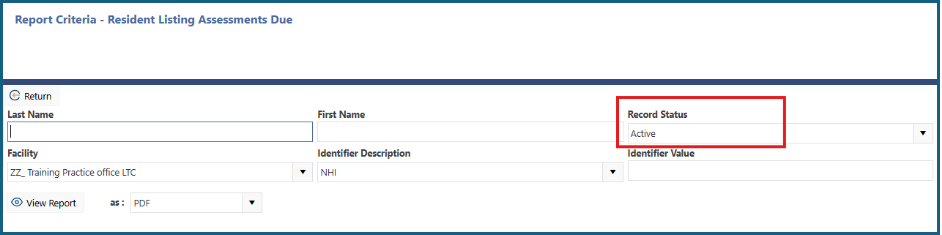
4: Click View Report.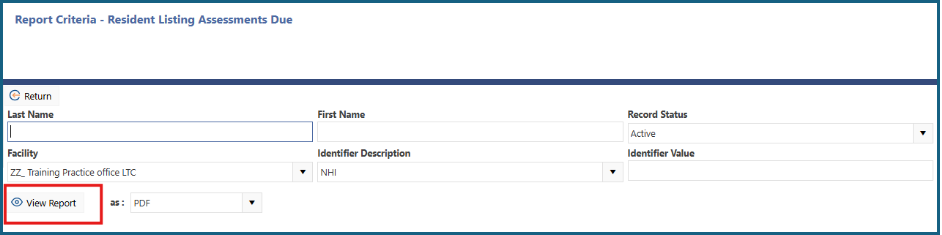
5: The report will display assessments due for all active records in all units of the LTCF.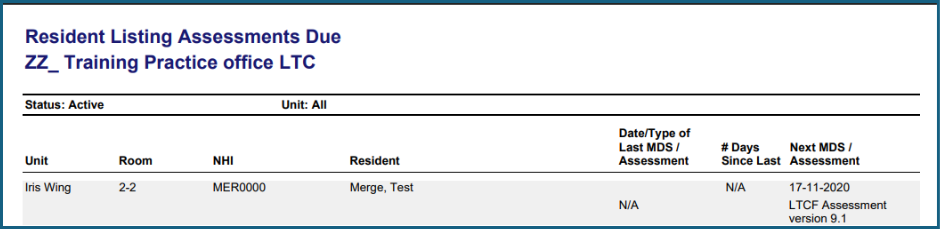
Was this article helpful?
That’s Great!
Thank you for your feedback
Sorry! We couldn't be helpful
Thank you for your feedback
Feedback sent
We appreciate your effort and will try to fix the article