TABLE OF CONTENTS
- What the data consistency report is used for
- When to use the report
- Reviewing the report results
- Running the Data Consistency Report
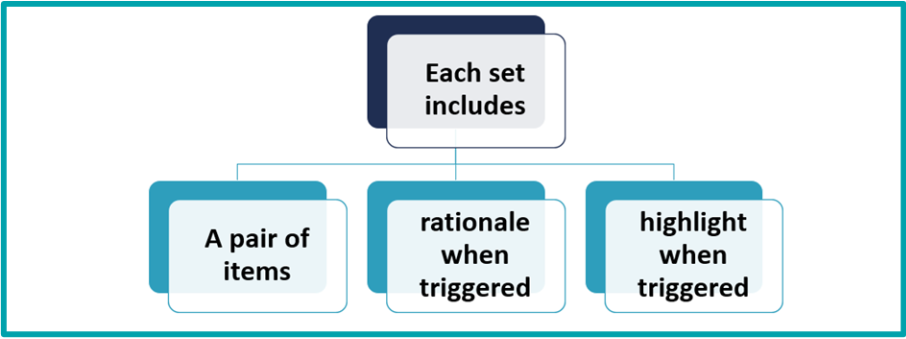
The Data Consistency Report helps identify possible coding mistakes within an assessment. It reviews selected coding points for accuracy and highlights areas that may need to be checked before the assessment is finalised.
What the data consistency report is used for
Assessors are advised to run this report before finishing any assessment. It can help them:
- identify possible coding errors
- review highlighted items that may need correction
- understand the explanations provided for potential errors
interRAI Services also uses information from this report to help identify assessors who may benefit from additional education support through quality review and skill enhancement.
When to use the report
Run the Data Consistency Report before finalising an assessment.
Using the report at this stage gives you the opportunity to review possible issues and make corrections before the assessment is completed.
Reviewing the report results
When you review the report, pay particular attention to the blue highlighted areas.
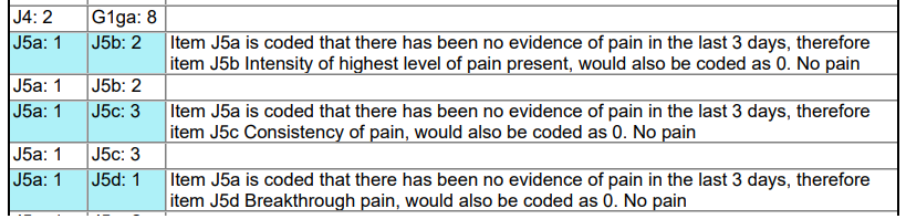
These highlighted items should be checked carefully to decide whether the coding needs to be corrected.
Running the Data Consistency Report
To run the 'Data Consistency Report', follow these steps:
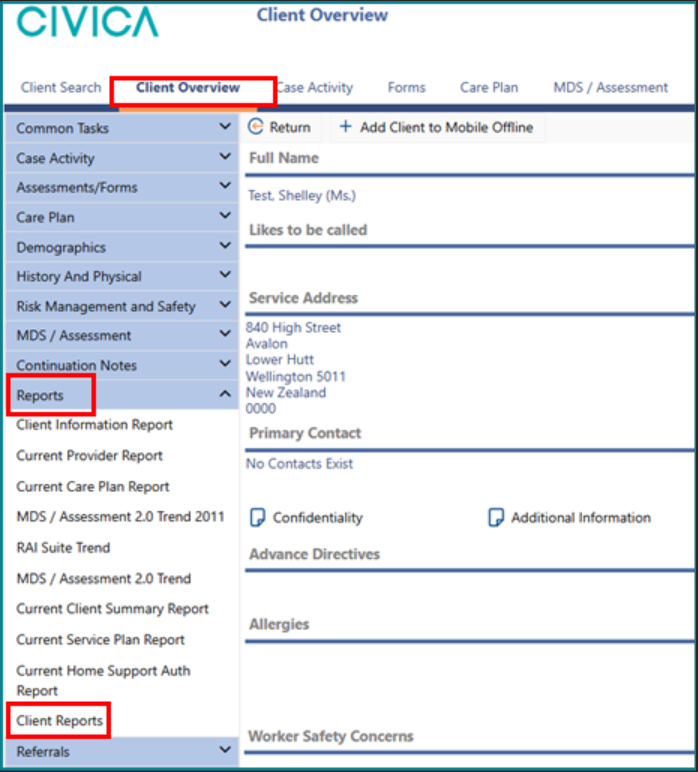
1: Click on the 'Client' or 'Resident Overview' page.
2: Click on Client Reports under Reports from the left-hand side menu
Alternatively:
Click Client Reports or Resident Reports from the top menu.
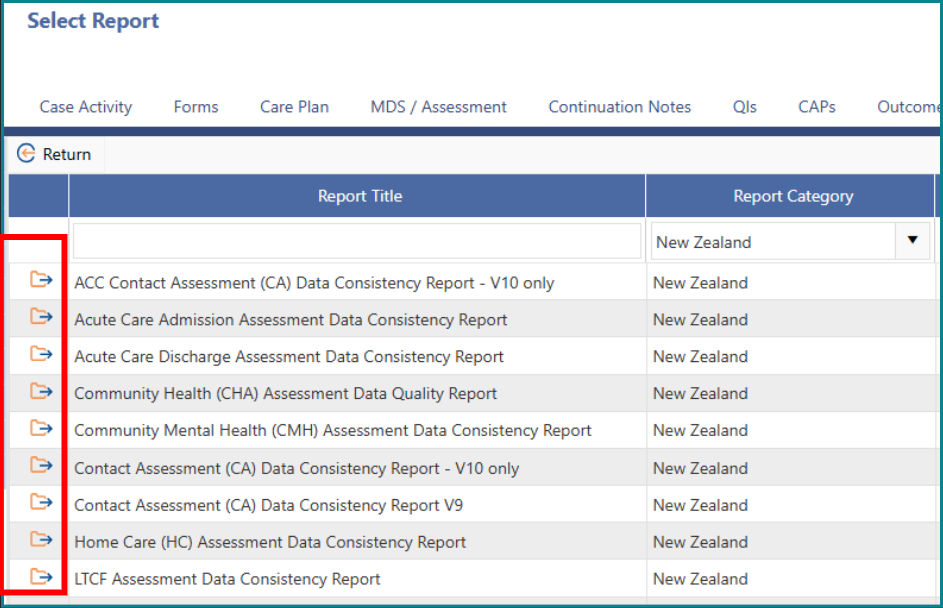
3: Choose the 'Data Consistency Report' for the assessment type you are completing by clicking on the folder or double clicking on the report.
Was this article helpful?
That’s Great!
Thank you for your feedback
Sorry! We couldn't be helpful
Thank you for your feedback
Feedback sent
We appreciate your effort and will try to fix the article