TABLE OF CONTENTS
- Account locked
- Using the Forgot Password option
- Logged out after incorrectly entering security questions
Account locked
Your account is locked if you enter your password incorrectly 3 times. The account will be automatically unlocked after 15 minutes, and you can try again or reset your password using the Forgot Password option (see below).
Using the Forgot Password option
1: On the iAS log in page enter your UserID and then select ‘Forgot Password’.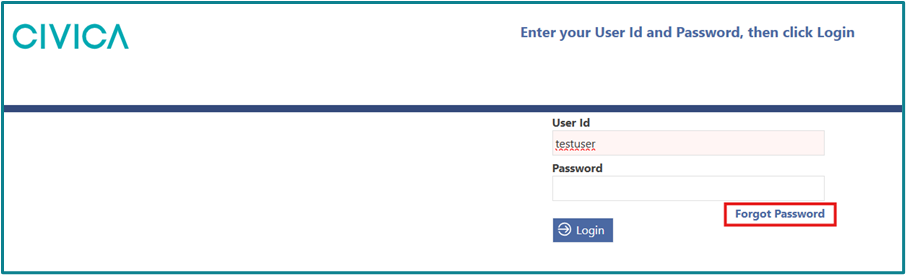
2: Two of your three security questions will be displayed.
3: Check the ‘Show answer’ box for each question so you can see what you are typing, and enter the answers to your questions. Note: these will need to be exactly as you entered them into the software including case and spacing.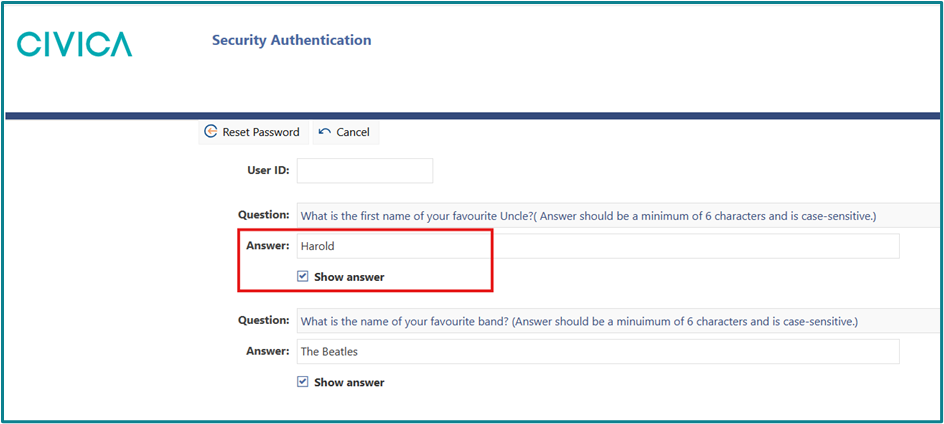
4: Click on ‘Reset Password’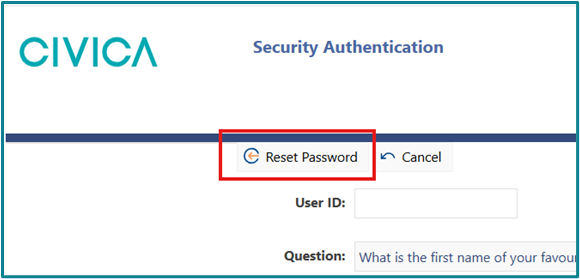
5: Enter a new password, and then repeat the new password in the second box.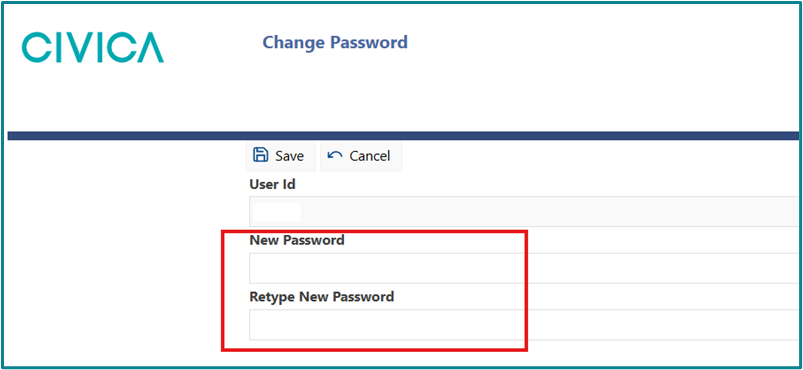
6: Click on ‘Save’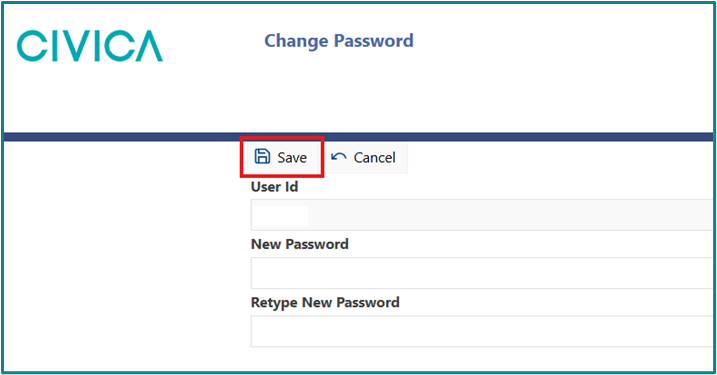
Logged out after incorrectly answering security questions
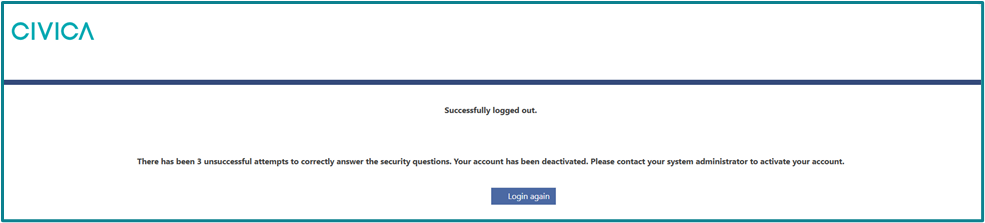
What you see on the screen:
- Successfully logged out.
- There has been 3 unsuccessful attempts to correctly answer the security questions. Your account has been deactivated. Please contact your system administrator to activate your account.
Meaning:
You have not entered your security questions correctly; your account has been disabled.
Action:
You will need to contact us via email at interrai@tas.health.nz or on 0800 10 80 44 (option 1) to have your account reactivated.
Was this article helpful?
That’s Great!
Thank you for your feedback
Sorry! We couldn't be helpful
Thank you for your feedback
Feedback sent
We appreciate your effort and will try to fix the article