Client is the term used in Community and ACC offices.

Resident is the term used in the ARC facility offices.

Although the terms differ, the process is the same
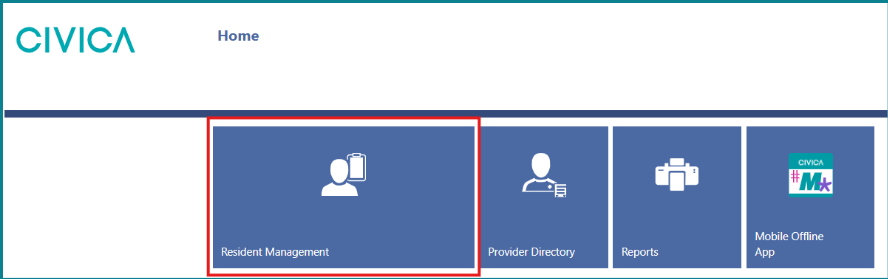
1: Click on the ‘Client/Resident Management’ tile on the home page.
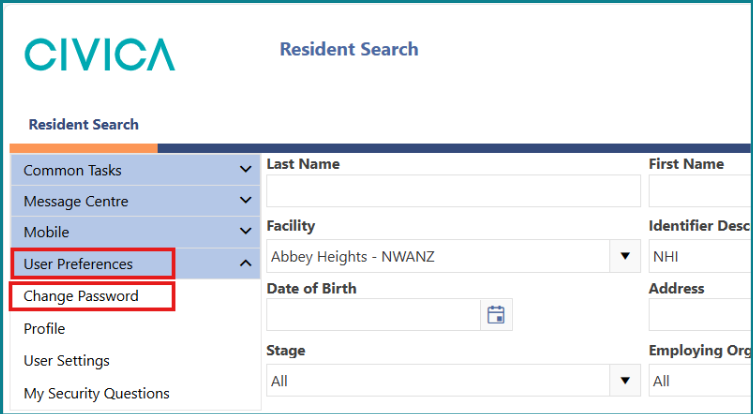
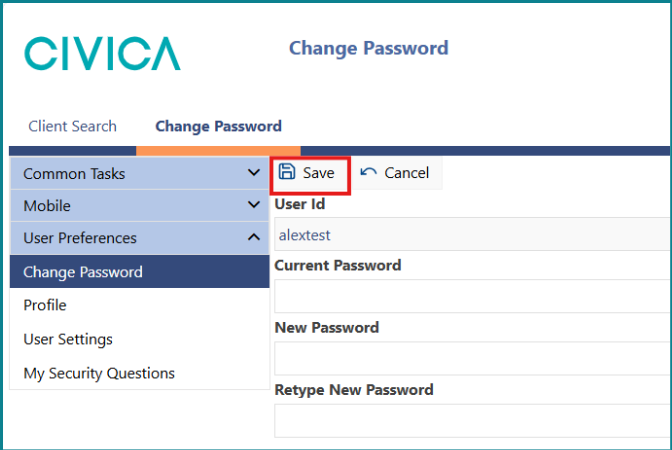
2: In the left side menu, select ‘User Preferences’ and then ‘Change Password’.
3: Enter your existing password in the ‘Current Password’ field.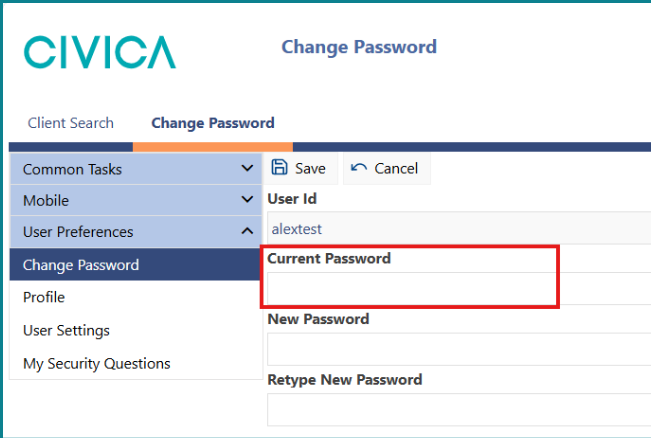
4: Enter your new password in the ‘New Password’ and ‘Retype New Password’ fields.
Note: The new password must be 14 characters long, and we suggest using an easy to remember passphrase such as 'my1stcarwasaToyota' or 'popcornisbetterwithbutter'.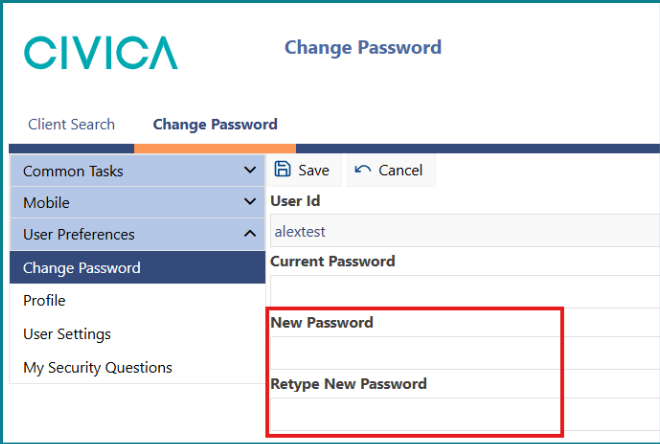
5: Click ‘Save’.
Was this article helpful?
That’s Great!
Thank you for your feedback
Sorry! We couldn't be helpful
Thank you for your feedback
Feedback sent
We appreciate your effort and will try to fix the article