TABLE OF CONTENTS
There are a few mandatory items that must be completed on the Overview page. These items auto-populate fields into the MDS assessment. If they are not completed on the Overview page, you will not be able to mark an assessment as complete.
interRAI New Zealand has a set of assessment best practice guideline for each interRAI assessment. You can find these guidelines in the assessment specific workbook units.
A person’s demographic details (such as their name and date of birth) should already be entered in the file, from when it was first created or last updated by previous assessors. Check that all details entered by previous assessors are correct and update them where necessary.
How to add or change “Personal Details”
1: On the Resident Overview or Client Overview page, click Likes to be called. 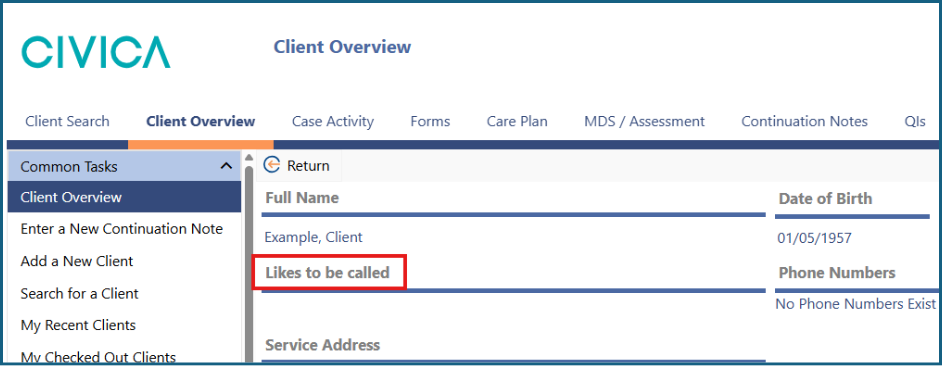
3: The 'Personal Details' screen will open. 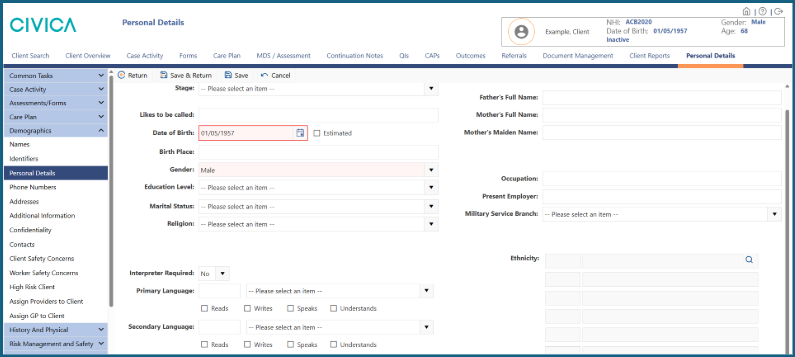
4: Enter or update the preferred name in the appropriate field. 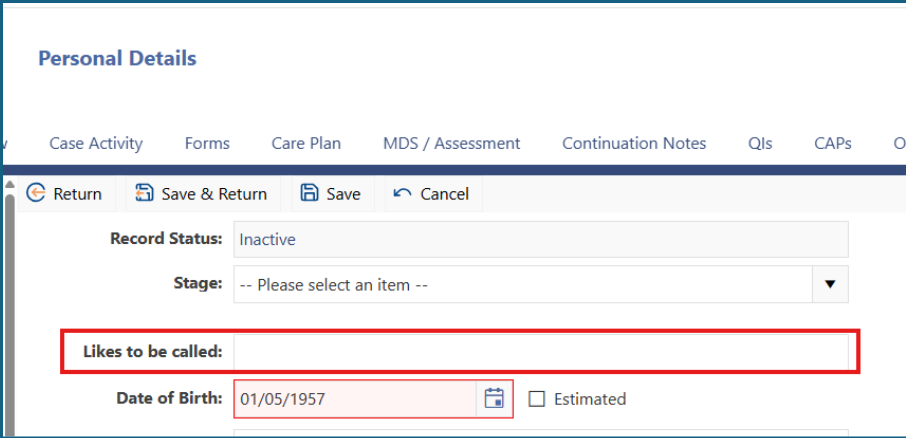
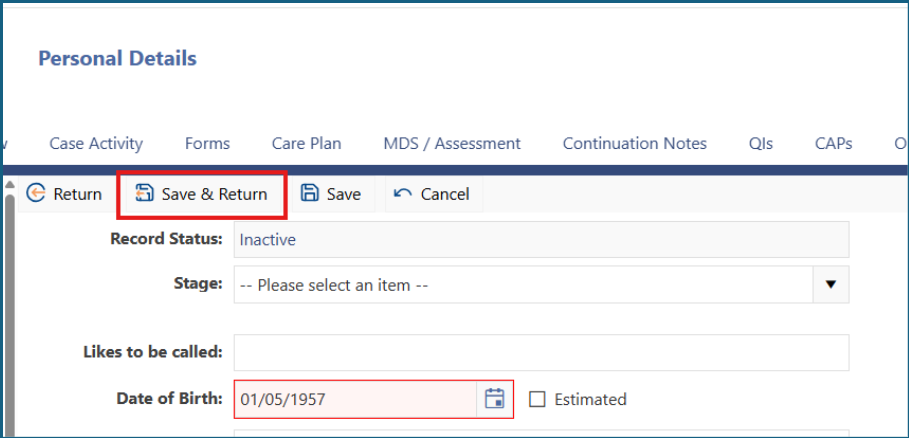
5: Click 'Save & Return'.
Mandatory fields on the Overview page
The following fields must be completed on the Overview page because they populate into the assessment:
- Marital Status
- Primary Language
- Interpreter Required
- Ethnicity
Make sure these fields are completed and updated as needed.
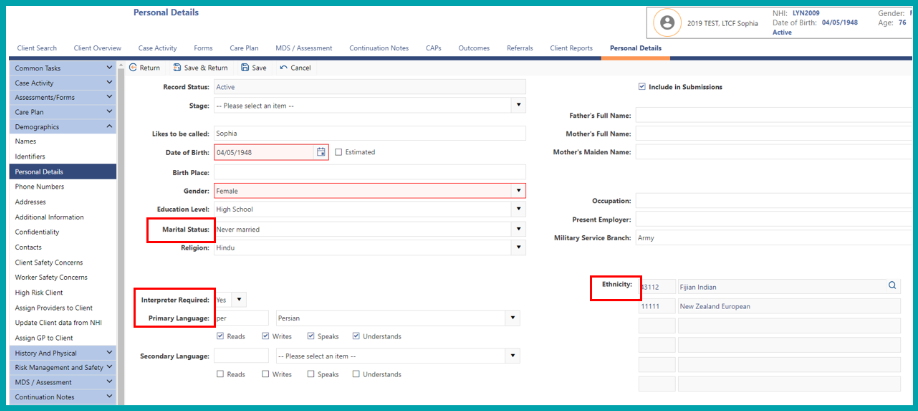
In addition to the mandatory items, you may complete other items depending on what your facility or organisation requires.
| Marital Status, Primary Language and Ethnicity must be entered on the Overview page for them to pre-populate the MDS assessment. The Overview page is the only place you can then change or update this information. |
![C:\Users\kaye\AppData\Local\Microsoft\Windows\Temporary Internet Files\Content.IE5\IPQ4D30K\MC900433838[1].png](https://s3-ap-southeast-2.amazonaws.com/aus-cdn.freshdesk.com/data/helpdesk/attachments/production/51293941180/original/-vpEFYVD-gfvPbqRDVHKM8cYmIOzvV6l-Q.png?1775686780)
Was this article helpful?
That’s Great!
Thank you for your feedback
Sorry! We couldn't be helpful
Thank you for your feedback
Feedback sent
We appreciate your effort and will try to fix the article