TABLE OF CONTENTS
A draft assessment can be discontinued in certain situations, for example when:
- the assessment was created by mistake
- the assessment has incomplete sections and the original assessor is not available to finish it
- the assessment was opened but not completed, and the client or resident has since passed away unexpectedly
- Once an assessment has been discontinued, it cannot be reinstated.
Before you discontinue an assessment
Only discontinue a draft assessment if it is no longer appropriate for it to be completed.
Because this action cannot be reversed, make sure the assessment should not remain active before proceeding.
How to discontinue a draft assessment
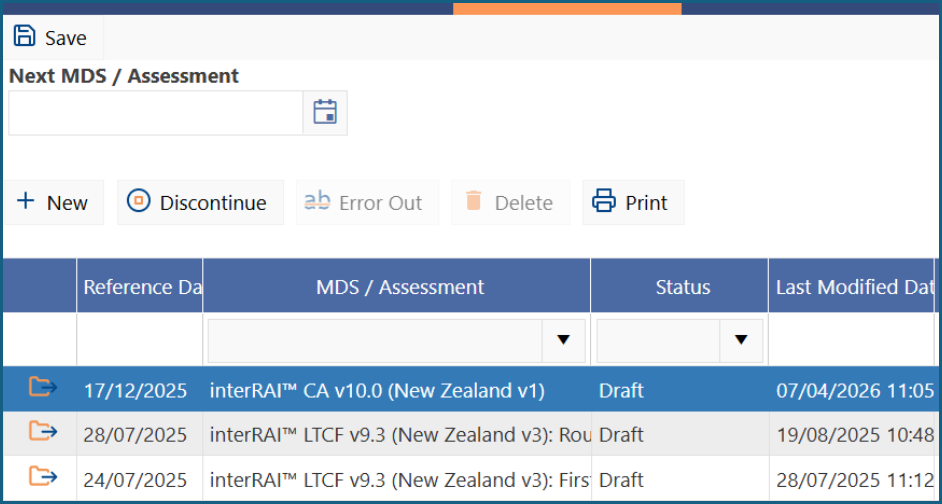
1: Click the draft assessment you want to discontinue so that the row is highlighted in blue.
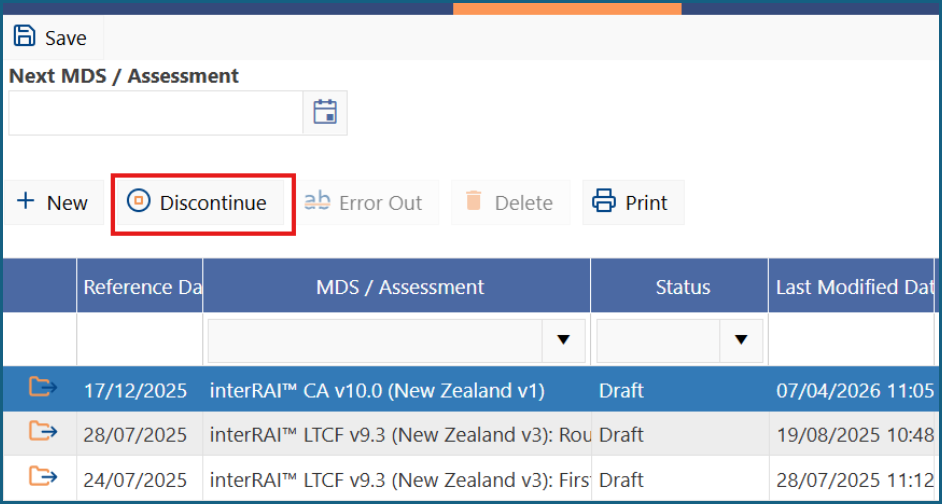
2: Click 'Discontinue'. This button is only available when a draft 'MDS / Assessment' is selected.
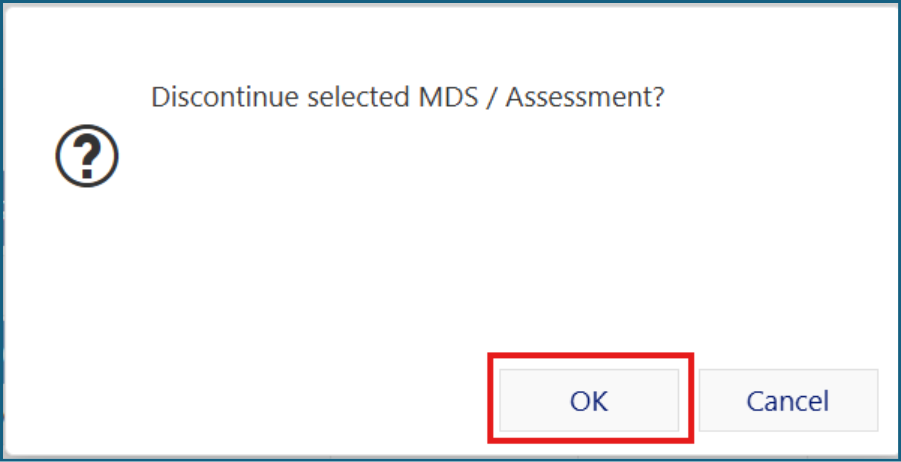
3: When the confirmation message appears, click 'OK'.
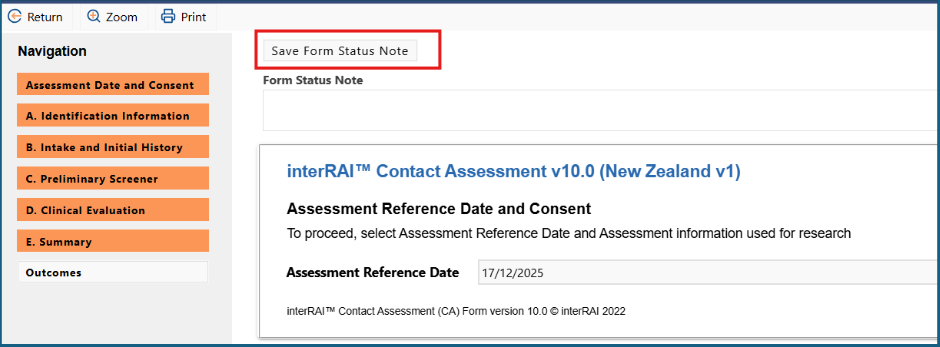
4: Open the discontinued assessment and enter a reason in the 'Form Status Note' field.
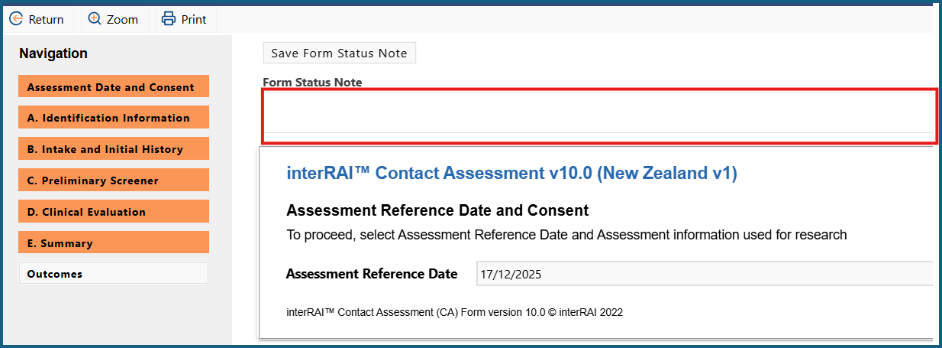
5: Click on 'Save Form Status Note'.
Was this article helpful?
That’s Great!
Thank you for your feedback
Sorry! We couldn't be helpful
Thank you for your feedback
Feedback sent
We appreciate your effort and will try to fix the article